
BigCommerce has become a popular choice for entrepreneurs who want a flexible, scalable ecommerce platform. In 2026, more beginners are choosing BigCommerce for its performance, customization options, and long-term growth potential. However, running a successful dropshipping store on BigCommerce depends heavily on choosing the right BigCommerce dropship apps.
For new sellers, dropshipping apps are not just add-ons. They handle product sourcing, inventory syncing, order automation, and fulfillment. The right app can significantly reduce daily workload, prevent costly mistakes, and help you scale faster with fewer operational issues.
This guide is written for beginners starting from zero. It explains how BigCommerce dropship apps work, what features actually matter in 2026, and which apps are worth considering based on real business needs rather than marketing promises.
Why BigCommerce Is a Strong Platform for Dropshipping
BigCommerce has steadily positioned itself as a platform built for serious ecommerce growth rather than short-term experimentation. In 2026, it continues to be a strong choice for dropshipping businesses that want stability, performance, and flexibility from the very beginning.
One of the biggest advantages of BigCommerce is its built-in scalability. Unlike platforms that require frequent app upgrades or performance fixes as traffic grows, BigCommerce is designed to handle higher order volumes and larger catalogs without slowing down. For beginners, this means you don’t need to worry about switching platforms once your store starts gaining traction.
BigCommerce also offers a clean and SEO-friendly site structure. Product pages, category URLs, and metadata are easy to manage, which helps stores rank more effectively on Google over time. For dropshippers relying on organic traffic or content marketing, this technical SEO foundation is a major long-term advantage.
Another key strength is native feature depth. BigCommerce includes many functions out of the box that other platforms rely on third-party apps for, such as advanced product options, multi-currency support, and strong API access. This reduces app dependency and lowers the risk of compatibility issues when integrating dropship apps.
From a cost perspective, BigCommerce does not charge additional transaction fees on top of payment processing. For dropshipping businesses operating on thin margins, this helps preserve profitability as order volume increases. Beginners benefit from clearer cost structures and fewer hidden platform-level expenses.
BigCommerce is also well-suited for multi-channel selling. Sellers can connect their store to marketplaces, social platforms, and advertising channels while keeping inventory and orders centralized. This is particularly useful for dropshippers who plan to diversify traffic sources rather than relying on a single channel.
Finally, BigCommerce works well with more advanced dropshipping workflows. Platforms and services like CJdropshipping can integrate directly through APIs, allowing automated product import, inventory syncing, and order fulfillment. This makes BigCommerce a solid foundation for sellers who want to move from basic dropshipping toward faster shipping, better customer experience, and brand building over time.
For beginners, the key takeaway is that BigCommerce is not just easy to start with, but also designed to grow with you. Its performance, SEO structure, and integration flexibility make it a dependable platform for building a dropshipping business that lasts beyond the first few products.
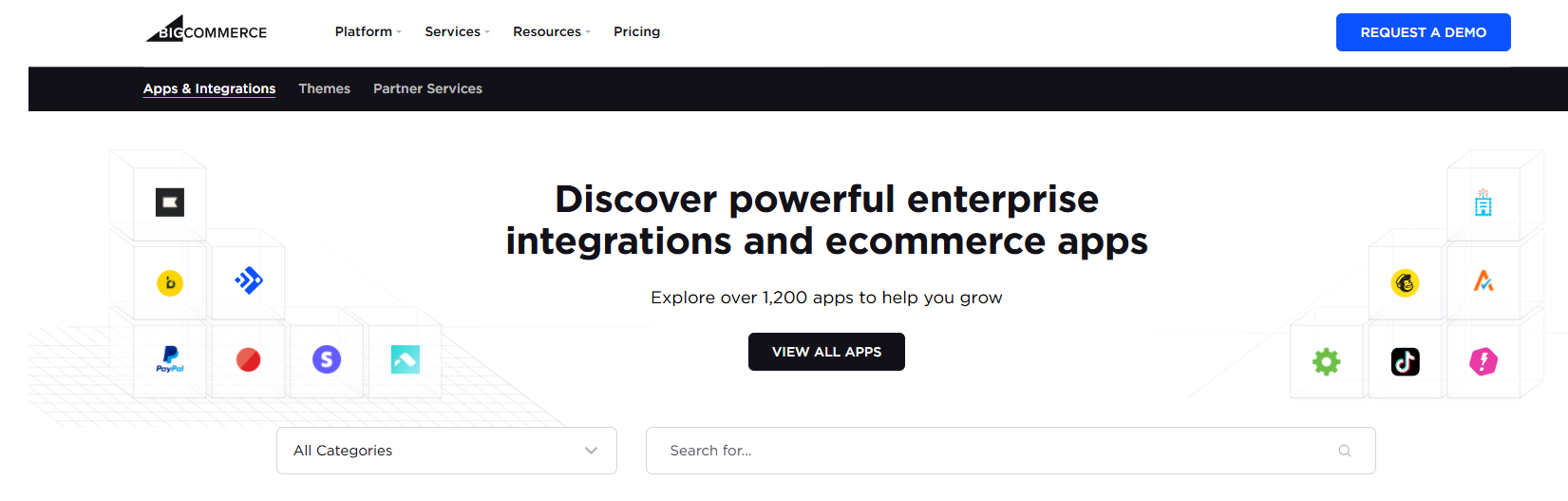
What BigCommerce Dropship Apps Actually Do
For beginners, BigCommerce dropship apps are often misunderstood as tools that simply add products to a store. In reality, these apps play a much broader role in daily operations and long-term scalability. Understanding what dropship apps actually do helps new sellers choose the right tools and avoid unrealistic expectations.
At a basic level, BigCommerce dropship apps act as a bridge between your store and your suppliers or fulfillment systems. Instead of manually managing products, inventory, and orders, the app automates these processes so your store can operate smoothly as sales grow.
Product Import and Catalog Management
Most dropship apps allow you to import products directly into your BigCommerce store. This includes product titles, images, descriptions, variants, and pricing. For beginners, this saves significant setup time and reduces data entry errors.
However, good apps also allow customization. You should be able to edit product descriptions, optimize SEO fields, and adjust pricing rules before publishing products. Apps that limit customization often create duplicate listings and weak SEO performance.
Inventory Synchronization
Inventory sync is one of the most critical functions of any dropship app. When a product goes out of stock at the supplier or fulfillment center, the app should update your store automatically.
Real-time or near real-time inventory updates help prevent overselling, which is one of the most common beginner mistakes. Apps with poor inventory sync often lead to canceled orders, refunds, and customer frustration.
Automated Order Processing
Once an order is placed, a dropship app should automatically send the order details to the supplier or fulfillment system. This eliminates manual order forwarding and reduces processing delays.
Automation becomes essential even at modest order volumes. Processing just 10–20 orders per day manually is manageable, but growth quickly makes manual workflows unsustainable.
Shipping and Tracking Updates
After fulfillment, the app should sync tracking numbers back to your BigCommerce store. This allows customers to track their orders without contacting support.
Clear tracking updates reduce customer inquiries and increase trust. Apps that fail to sync tracking properly often create unnecessary support workload.
Cost and Order Visibility
Some dropship apps also provide cost breakdowns for products, shipping, and fulfillment. While not all apps offer full transparency, those that do make it easier for beginners to calculate margins and price products accurately.
Understanding true landed cost early helps prevent pricing mistakes that only become visible after multiple orders.
Support for Scaling and Optimization
As stores grow, dropship apps should support bulk actions, order batching, and performance stability. Apps designed only for small stores often struggle when order volume increases.
Scalable apps allow sellers to add products, manage inventory, and process orders efficiently without rebuilding workflows.
Key Features Beginners Should Look For
Not all BigCommerce dropship apps are created equal. As a beginner, it’s easy to get distracted by apps that boast huge product catalogs or flashy marketing language. What matters most are the features that help you run your store reliably, prevent common mistakes, and scale step by step without operational headaches.
Below are the core capabilities every dropshipping beginner should prioritize when choosing an app.
Easy Integration With Your BigCommerce Store
The first requirement is smooth integration. A beginner-friendly dropship app should connect to your BigCommerce store with minimal setup, clear onboarding steps, and transparent sync permissions.
Apps that require complex API configurations or external developer work can delay store launch and increase the risk of setup errors. For beginners, the faster you connect and start syncing, the sooner you make your first sale.
Real-Time Inventory Sync
Real-time inventory synchronization is essential because overselling is one of the most common early pitfalls. When a product’s stock runs out at the supplier or warehouse, your store must reflect that change instantly.
If inventory data lags, customers place orders for products that aren’t available, leading to cancellations, refunds, and negative reviews—especially harmful in the first 30–90 days of store history.
Better apps update stock at least every few minutes or offer webhook sync, which responds to changes immediately.
Automated Order Fulfillment
Manual order forwarding works at 1–5 orders per day, but it quickly becomes unsustainable. Automated fulfillment means that once an order is placed on BigCommerce, the dropship app sends order details directly to the supplier or fulfillment center without manual input.
This not only saves time but also reduces human errors. As your sales grow, automation helps maintain consistency and frees you up to focus on marketing, customer service, and product optimization.
Shipping and Tracking Updates
Visible tracking information builds customer trust and reduces support tickets. A good dropship app automatically updates tracking numbers back into your BigCommerce store and customer notifications.
Without clear tracking sync, customers often feel uncertain about their order status, leading to avoidable refund requests or chargebacks.
Transparent Cost and Fee Information
Understanding true landed cost early is one of the most important lessons for beginners. A quality dropship app provides clear breakdowns of:
-
Product cost
-
Shipping fees
-
Fulfillment charges
-
Any platform or service fees
When cost visibility is poor, beginners often misprice products, leading to thin or negative margins once fees are deducted.
Support for Scalable Workflows
Beginners often underestimate how quickly operations become complex. Key features that support scalability include:
-
Bulk product import and update tools
-
Order batching and processing efficiency
-
Support for multiple suppliers in one workflow
-
Store performance under higher order volume
Apps that only work well at low volume may struggle as your business grows.
Quality Control and Supplier Vetting
Many early dropshipping problems stem from supplier inconsistencies. The best dropship apps either vet suppliers or offer access to reputable fulfillment networks.
In 2026, quality control is increasingly important as customers compare ecommerce experiences to marketplace benchmarks. An app that connects to verified suppliers or integrates inspection workflows helps reduce refund rates and negative feedback.
Fulfillment Options and Delivery Speed
Delivery speed is one of the biggest customer expectations. Apps that support regional warehouses or offer multiple shipping lanes help deliver faster and cheaper.
Solutions that allow you to place inventory closer to your customers (e.g., US warehouses, EU warehouses) significantly improve delivery times and customer satisfaction.
Support and Documentation
For beginners, responsive support and clear documentation are invaluable. When setup questions or operational problems arise, fast support helps you fix issues without losing sales or customer trust.
Look for apps with:
-
Dedicated support teams or chat options
-
Clear help articles and video tutorials
-
Community forums or knowledge bases
This accelerates your learning curve and helps avoid common pitfalls.
Best BigCommerce Dropship Apps for 2026
In 2026, choosing the right BigCommerce dropship apps is less about finding the biggest product catalog and more about building a reliable operational workflow. For beginners, the best apps are those that reduce manual work, keep inventory accurate, and support consistent fulfillment as orders grow.
Below is a practical breakdown of BigCommerce dropship app options, based on how they are commonly used in real businesses.
1. Native BigCommerce Dropship Apps
These are apps available directly in the BigCommerce App Marketplace. They usually offer direct integration, automated order syncing, and basic supplier connections.
Best for:
Beginners who want fast setup and minimal technical configuration.
Typical features include:
-
One-click product import
-
Inventory synchronization
-
Automated order forwarding
-
Tracking number updates
Limitations to be aware of:
Most native dropship apps focus on order automation, not supplier reliability or quality control. Delivery speed and product consistency depend heavily on the underlying suppliers, which beginners often need to evaluate themselves.
These apps work well for getting started, but may require additional tools or partners as your business grows.
2. Supplier-Network Dropship Apps
Some BigCommerce dropship apps connect you to a specific supplier network or catalog. They offer a curated list of products and predefined fulfillment rules.
Best for:
Sellers who want access to ready-made supplier catalogs without managing individual supplier relationships.
Strengths:
-
Faster product discovery
-
Simplified onboarding
-
Basic automation
Trade-offs:
-
Limited flexibility in sourcing
-
Less control over packaging, branding, and inspection
-
Delivery speed varies depending on supplier location
For beginners, these apps are useful during early testing but can feel restrictive once you want more control over fulfillment and customer experience.
3. Marketplace-Style Dropship Apps
Marketplace-style apps aggregate products from multiple vendors and allow you to import listings into your BigCommerce store.
Best for:
Product research and short-term testing.
Advantages:
-
Large product selection
-
Easy browsing and import
Challenges:
-
Inventory accuracy can lag
-
Fulfillment standards vary widely
-
Harder to ensure consistent quality
Many beginners start here, but most successful stores move away from marketplace-style sourcing once they identify winning products.
4. Hybrid Dropshipping Workflows (Apps + External Fulfillment Support)
In 2026, a growing number of BigCommerce sellers use hybrid setups. Instead of relying on a single dropship app for everything, they combine:
-
A BigCommerce dropship app for store automation and order management
-
An external partner for product sourcing, inspection, and fulfillment preparation
This model offers more flexibility and control, especially as order volume increases.
How CJdropshipping fits into this model:
While CJdropshipping does not currently provide a native BigCommerce app, many sellers use CJ as a backend sourcing and fulfillment partner. Products are sourced through CJ, inspected, prepared, and fulfilled from CJ’s warehouses, while orders are routed from BigCommerce via middleware tools, API connections, or structured order exports.
This approach allows sellers to:
-
Improve supplier reliability
-
Reduce quality issues
-
Access faster shipping options through regional warehouses
-
Add branding elements like packaging or inserts
Without being locked into a single app ecosystem.
How to Choose the Right App Strategy
Instead of asking “Which is the best BigCommerce dropship app,” beginners should ask:
-
Do I want speed of setup or control over fulfillment
-
How important is inventory accuracy to my business
-
Will I need quality inspection or faster delivery later
-
Do I plan to build a brand or just test products
For many beginners, the most practical path is:
-
Start with a native BigCommerce dropship app for automation
-
Validate products and demand
-
Introduce stronger sourcing and fulfillment support as sales grow
Key Takeaway for Beginners
The best BigCommerce dropship apps for 2026 are not defined by how many products they offer, but by how well they fit into your operational reality.
Apps handle automation.
Suppliers handle products.
Fulfillment partners handle delivery experience.
Understanding this separation helps beginners avoid unrealistic expectations and build a workflow that scales cleanly.
Hybrid models that combine BigCommerce automation with professional sourcing and fulfillment support are becoming increasingly common—and often more stable—than relying on a single app alone.
Common Mistakes When Choosing Dropship Apps
For beginners, choosing a dropship app often feels like a technical decision. In reality, it is an operational one. The wrong app does not just slow you down, it can create inventory errors, fulfillment delays, and customer dissatisfaction that are difficult to fix later.
Below are the most common mistakes new sellers make when choosing BigCommerce dropship apps, along with practical guidance on how to avoid them.
Choosing Apps Based on Product Quantity Alone
Many beginners assume that an app with the largest product catalog offers the best opportunity. In practice, product quantity matters far less than product reliability.
Large catalogs often pull items from many different suppliers, each with different quality standards and shipping practices. This increases the risk of inconsistent products, unstable pricing, and unreliable inventory data.
For early-stage stores, working with a smaller, more controlled product selection often leads to better results and fewer operational surprises.
Ignoring Inventory Sync Speed and Accuracy
Inventory sync issues are one of the fastest ways to damage customer trust. If stock levels are not updated accurately, overselling becomes inevitable, followed by cancellations and refunds.
Many beginners overlook how frequently an app syncs inventory. Apps that update stock only a few times per day may already be outdated by the time a customer places an order.
Reliable dropship apps should offer near-real-time inventory updates or event-based syncing to reduce these risks.
Underestimating Fulfillment Speed Expectations
New sellers often focus on how quickly they can launch and forget to evaluate how fast orders will actually arrive.
In 2026, customers expect transparency and reasonable delivery times, even for dropshipping. Apps that rely on distant suppliers without fulfillment options closer to your target market often struggle to meet these expectations as volume increases.
Before committing to an app, always understand where products ship from and what delivery timelines look like in real use.
Assuming Automation Equals Quality Control
Automation helps with efficiency, but it does not guarantee product quality. Many dropship apps automate order forwarding without any inspection or verification step.
Beginners often assume issues will be caught automatically. In reality, without quality checks, defects are usually discovered by customers after delivery.
Apps or workflows that involve supplier vetting or inspection support significantly reduce refund rates and negative reviews over time.
Overcomplicating the Tech Stack Too Early
Installing multiple dropship apps and automation tools at once can create conflicts and confusion. When problems occur, it becomes difficult to identify whether the issue comes from inventory sync, order routing, or fulfillment.
For beginners, a simple and clearly defined setup is usually more effective. One core dropship app with stable automation often performs better than a complex stack of partially overlapping tools.
Advanced setups should be added only when order volume and operational needs justify them.
Ignoring Cost Transparency
Low upfront costs can be misleading. Some dropship apps appear inexpensive but add fulfillment fees, shipping markups, or service charges later in the process.
Beginners often price products based on incomplete cost information and only discover margin problems after several orders have been fulfilled.
Choosing apps that clearly show product cost, shipping fees, and any additional charges helps avoid unpleasant surprises.
Not Planning for Growth
An app that works well for a handful of daily orders may struggle when volume increases. Beginners often choose apps without considering whether they can scale smoothly.
Before committing, consider whether the app supports bulk order handling, stable performance under higher volume, and future fulfillment or sourcing upgrades.
Planning for growth early helps avoid disruptive migrations later.
How to Avoid These Mistakes
A practical approach is to separate responsibilities clearly. Dropship apps should handle automation and store integration, while sourcing and fulfillment quality should be evaluated independently.
Many BigCommerce sellers complement their dropship apps with external sourcing and fulfillment support, such as CJdropshipping’s services, to improve supplier reliability, quality control, and delivery speed without overloading the app layer.
Final Thoughts
In 2026, running a successful dropshipping store on BigCommerce is less about finding shortcuts and more about building a workflow that can grow with your business. Choosing the right BigCommerce dropship apps plays a central role in that process, especially for beginners starting from zero.
Dropship apps are not business models on their own. They are operational tools designed to automate tasks such as product import, inventory syncing, order processing, and tracking updates. When chosen carefully, they reduce manual work and prevent common mistakes. When chosen poorly, they can create hidden problems that surface only after sales begin.
For beginners, the most important priorities are reliability, clarity, and scalability. Apps that offer stable inventory sync, transparent costs, and dependable order automation create a smoother learning curve. As your store grows, fulfillment speed, supplier consistency, and customer experience become just as important as automation.
It’s also important to recognize that no single app solves every problem. Many successful BigCommerce sellers use a combination of tools: dropship apps to manage store operations, and external partners to strengthen sourcing, quality control, and fulfillment. Services like CJdropshipping can support this backend layer by helping with product sourcing, inspection, warehousing, and logistics, even without native platform integration.
The best approach is to choose tools that fit your current stage while leaving room to evolve. Start simple, validate demand, and upgrade your operational setup as sales become consistent. This mindset helps you avoid unnecessary complexity early and costly migrations later.
In the long run, sustainable dropshipping is built on dependable systems, not quick wins. With the right apps, realistic expectations, and a focus on operational fundamentals, BigCommerce can be a strong platform for building a dropshipping business that lasts beyond the first few products.
🚀 Start Your CJdropshipping Journey
Register for free and explore thousands of trending products, fast shipping options, and seamless store integrations.
Create a Free AccountNo credit card required · Easy setup in minutes