${articleTitle}
Shopify Custom App Authorization
As we all know Shopify can be well-integrated with CJ, and you're allowed to authorize your store on CJ by default. Moreover, it's viable to authorize your store with custom app authorization. After the authorization, you'll be able to list CJ products to your store and import orders to CJ.
Here are the main steps of the authorization:
1. Create an application from Shopify;
2. Set API;
3. CJdropshipping Authorized Application.
Detailed Steps:
1. Click Apps in your store and select App Settings.

Build a custom app

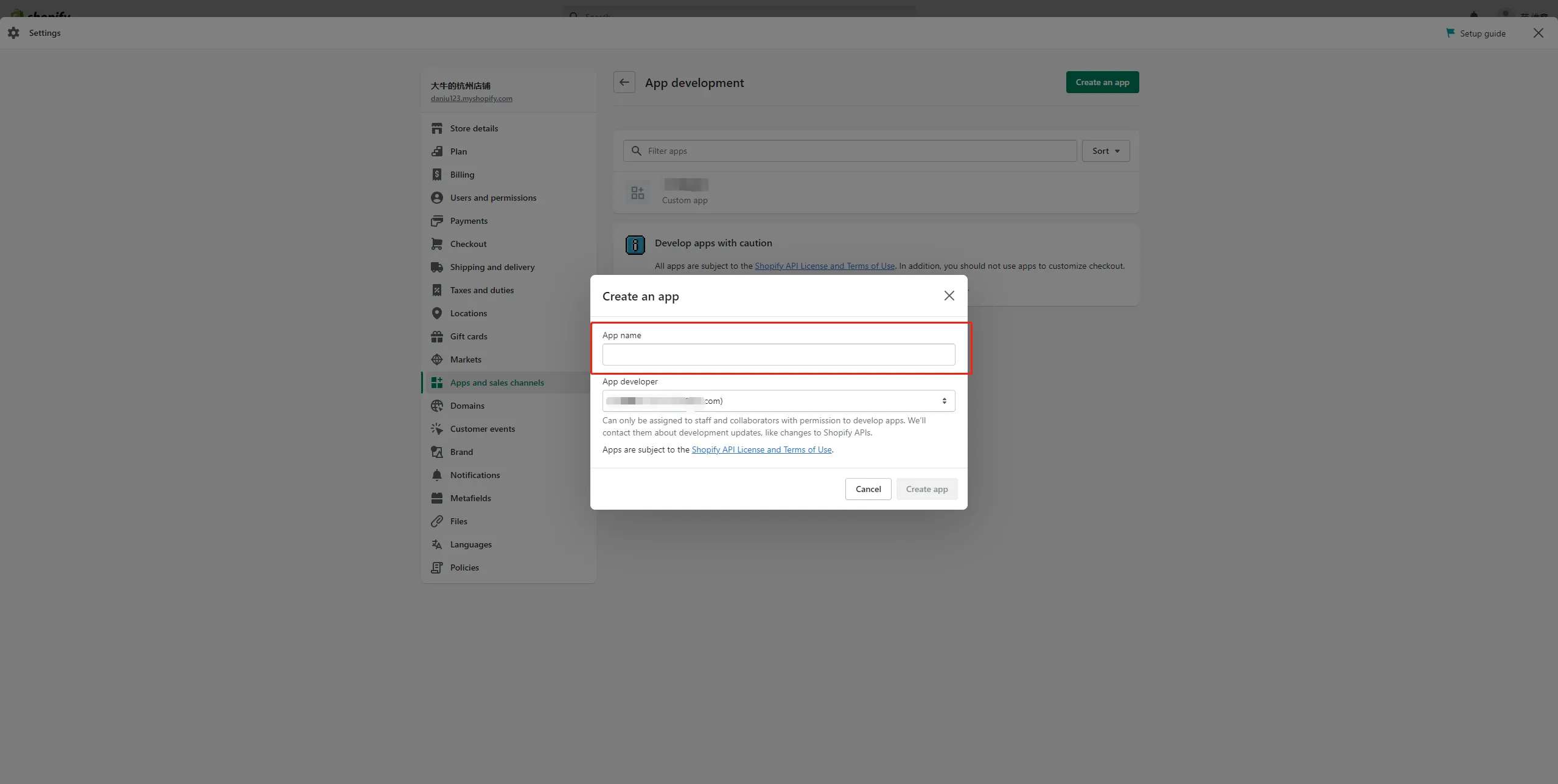
Click the Create Apps and sales channel menu, authorize the creation of custom applications, and create the CJdropshipping application


Set up your application‘s name
2. Select the API.

Set up app admin API access token permissions
Note: The following permissions need to be checked.
| read_content | read_customers | write_inventory | read_locations | read_inventory |
| read_themes | read_products | write_products | read_product_listings | read_collection_listings |
| read_orders | read_all_orders | write_orders | read_fulfillments | write_fulfillments |
| read_price_rules | read_script_tags | write_script_tags | write_themes | read_content |
| read_customers | write_inventory | read_locations | read_inventory | read_themes |
| read_products | write_products | read_product_listings | read_collection_listings | read_orders |
| read_all_orders | write_orders | read_fulfillments | write_fulfillments | read_price_rules |
| read_script_tags | write_script_tags | write_themes | read_assigned_fulfillment_orders | read_merchant_managed_fulfillment_orders |
| read_third_party_fulfillment_orders | write_assigned_fulfillment_orders | write_merchant_managed_fulfillment_orders | write_third_party_fulfillment_orders |

Select the 2022-04 version

Confirm the creation

Show one-time-key
Note: This key can only be viewed once, be careful not to disclose it.

3. Log into CJdropshipping's homepage and select Shopify.

According to your current store authorization status, the steps are various:
a. Shopify store that has not been authorized with CJ before:
Shopify> Custom App Authorization> Fill in your "Store Name" and "Access Token" submit> Submit Authorization

b. Shopify store that has been authorized with CJ before:
Custom App Authorization> Fill out the information > Submit Authorization

Then you will see your Shopify Store in My CJ > Authorization > Shopify
If there is any uncertainty, please feel free to contact our agent.